
On 14 May 2024, at its I/O developer event, Google announced that AI Overviews would begin rolling out to everyone in the US. For some searches, the first thing you now see is not a link but a short written answer, generated by a Gemini model customised for Search, with links to the web pages it drew from.
It was the biggest change to the look of Google's results page in years. For website owners it raised an obvious worry: if Google answers the question at the top, who still clicks? This guide covers what AI Overviews are, the exact rollout dates, and what Google tells site owners to do.
What an AI Overview is
An AI Overview is a short summary that answers a search, shown above or among the normal results. It includes links to the sources it used, shown in the text and in a panel beside it. It does not appear on every search. Google shows it when it thinks a quick summary helps, often for questions with several parts.
AI Overviews grew out of the Search Generative Experience (SGE), an experiment Google opened in Search Labs in May 2023. A year of testing later, the experiment became a normal part of Search under the new name.
Rollout timeline
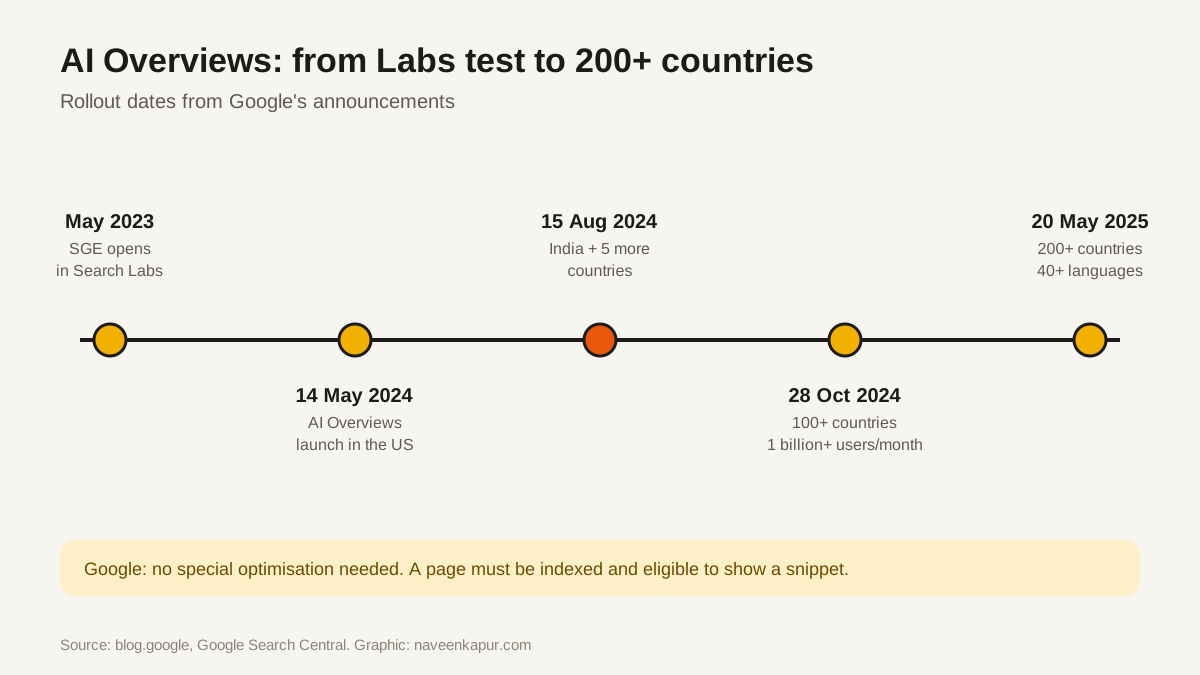
| Date | What happened |
|---|---|
| May 2023 | Search Generative Experience (SGE) opens as a Search Labs experiment |
| 14 May 2024 | AI Overviews begin rolling out to everyone in the US |
| 15 Aug 2024 | Launch in the UK, India, Japan, Indonesia, Mexico and Brazil, with local languages; more visible source links added |
| 28 Oct 2024 | More than 100 countries and territories, over 1 billion monthly users |
| 20 May 2025 | More than 200 countries and territories and more than 40 languages |
How AI Overviews choose their sources
Google has not published a formula, but its Search Central page on AI features explains the basics. AI Overviews use Google's normal search systems to find pages, and may use query fan-out: running several related searches on subtopics to build the answer. That means the pages cited are pages that already rank well for the question or one of its parts.
Google's guidance for site owners is short and clear:
- There are no additional requirements to appear in AI Overviews and no special optimisation needed.
- The page must be indexed and eligible to be shown with a snippet.
- The usual SEO fundamentals apply: crawlable pages, helpful content, good page experience, text that Google can read.
- You do not need new machine-readable files, AI text files or special markup.

How to control what appears
AI Overviews follow the same snippet rules as normal results. If you want to limit what Google shows from your page:
- nosnippet
- A robots meta rule that stops Google showing any text snippet from the page, including in AI features.
- data-nosnippet
- An HTML attribute you put on a section of text so that part is not used in snippets.
- max-snippet
- A robots meta rule that limits how many characters Google can use as a snippet.
- noindex
- Keeps the page out of Google Search entirely, so it cannot appear anywhere in results.
What changes for clicks and traffic
Clicks from AI Overviews are counted in the Search Console Performance report under the “Web” search type, together with normal results. There is no separate filter, so watch trends page by page.
In practice, three patterns are worth knowing:
- 1Simple fact searches send fewer clicks. If the whole answer fits in two lines, people often stop at the summary.
- 2Complex and buying searches still need websites. People still click to compare prices, read details, see photos, check reviews or contact a business.
- 3Being cited is a new kind of visibility. Even without a click, your brand appears as a source next to the answer.
What to do on your own site
- Answer each real question directly, in the first two sentences of its section, then give the detail.
- Add what a summary cannot: your prices, examples, calculators, photos, local detail and first-hand experience.
- Keep facts accurate and dated. AI answers draw on pages that look reliable.
- Use clear headings that match how people ask, so each section can stand on its own.
- Make sure pages are indexable and fast on phones. See our guides on Core Web Vitals and Google core updates.
A year after AI Overviews, Google went a step further with AI Mode, a full conversational search tab. The advice for both is the same: be the clearest, most trustworthy answer to a real question.