
Many businesses have paid for an “SEO audit” and received an automated PDF: a score out of 100, hundreds of warnings and no idea what to do first. That is a tool report, not an audit.
A real audit answers one question: what is stopping the right customers from finding this website on Google, and what should we fix first? This checklist shows what it should cover, so you can judge any SEO audit service before you pay for it.
The audit in seven areas
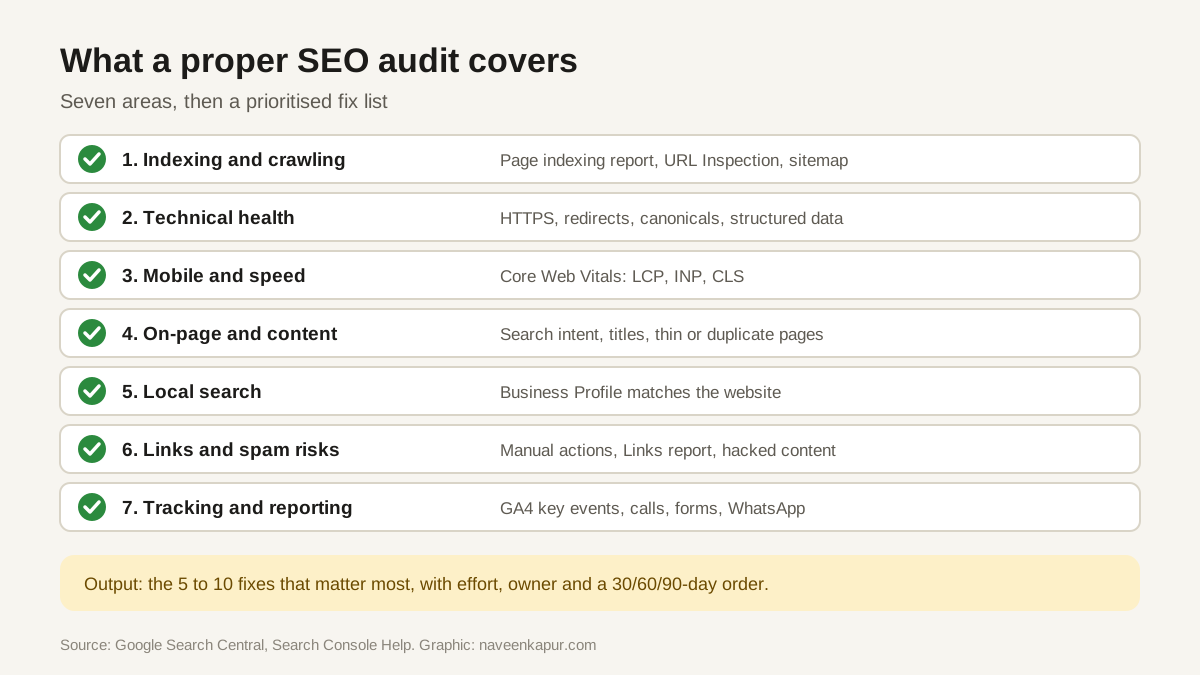
1. Indexing and crawling
If Google cannot crawl or index a page, nothing else matters. Search Console's Page indexing report shows which pages are indexed and why others are not. The URL Inspection tool shows how Google sees a single page.
- Are all important pages indexed? Are unimportant ones (search results, test pages, thin tag pages) kept out?
- Does robots.txt block anything it should not?
- Is there an XML sitemap, submitted in Search Console, listing only real, indexable pages?
- Are there stray noindex tags on pages that should rank?
- Do canonical tags point to the right version of each page?
2. Technical health
- HTTPS on every page, with one preferred domain (www or non-www) and redirects from the others.
- No broken internal links or redirect chains.
- Proper 404 pages for removed content, and 301 redirects for moved content.
- Structured data that is valid and matches what is on the page.
- Important text and links visible in the HTML Google renders, not hidden behind scripts that fail.
3. Mobile and speed
Google uses the mobile version of a page for indexing and ranking, so the audit should check the phone experience first (mobile-first indexing). The Core Web Vitals report in Search Console and PageSpeed Insights show real-visitor data for loading (LCP), responsiveness (INP) and visual stability (CLS). See our guide to Core Web Vitals.
4. On-page and content
- Does each important page target one clear search intent, without two pages competing for the same thing?
- Are title links and meta descriptions unique and written for people?
- Do headings follow the questions customers ask?
- Is content accurate, current and better than what ranks now? Does it show first-hand experience?
- Are there thin, duplicate or outdated pages to improve, merge or remove?
- Do internal links help people (and Google) reach the important pages?

5. Local search
For any business serving customers in a city, the audit should include the Google Business Profile: correct categories, name, address and phone that match the website, hours, photos and review handling.
6. Links and spam risks
- Check Search Console's Manual actions report. If there is one, it is the top priority.
- Review the Links report: who links to you, and are there signs of paid or spammy links from past work?
- Look for hacked content, hidden text or doorway pages that break Google's spam policies.
7. Tracking and reporting
An audit should also check whether you can measure results. Is Google Analytics 4 installed correctly, with key events for real enquiries? Is Search Console linked? Are form fills, calls and WhatsApp clicks tracked? Without this, nobody can prove whether SEO is working.
What the final report should look like
| A useful audit gives you | A weak audit gives you |
|---|---|
| A short summary of the 5 to 10 issues that matter most | Hundreds of warnings with no priority |
| Evidence from Search Console and real pages | Only a third-party tool score |
| For each fix: why it matters, effort and who should do it | Generic advice copied from a template |
| A plan in order: first 30, 60 and 90 days | No next steps |
| Plain language your team can act on | Jargon you need to pay again to understand |
Can you audit your own site?
You can start. Open Search Console and check the Page indexing, Core Web Vitals and Manual actions reports. Run your main pages through PageSpeed Insights. Read Google's SEO Starter Guide. That will show the obvious problems. A professional audit adds experience: knowing which of many issues actually affect rankings and enquiries, and in what order to fix them.
Before you hire anyone to do the work that follows an audit, our guide on how to choose an SEO consultant lists the questions to ask.